Adding Funds to your wallet (Binance)
On this page... • Overview • Instructions • Things to consider
Overview
This page shows how to get funds from a bank account into your wallet.
Lets be clear. This means cold hard cash (FIAT - see more on the learning pages) that you have no doubt earnt in an honest way and you will convert it into a crypto coin/token and then transfer into your wallet.
This website is just a guide on how to do it. Thats it, nothing more. Please dont risk anything.
Read the disclaimer pages before proceeding.
The process involves signing up for an exchange, verifying who you are with ID, and adding your bank details. If you are uncomfortable with any of these then you shouldnt proceed.
I have used Binance as the guide below just because its the one I use.
There are many other exchanges you can use and other methods, such as adding funds direct through a wallet. I have shown how to buy direct with a card below.
Back to topInstructions
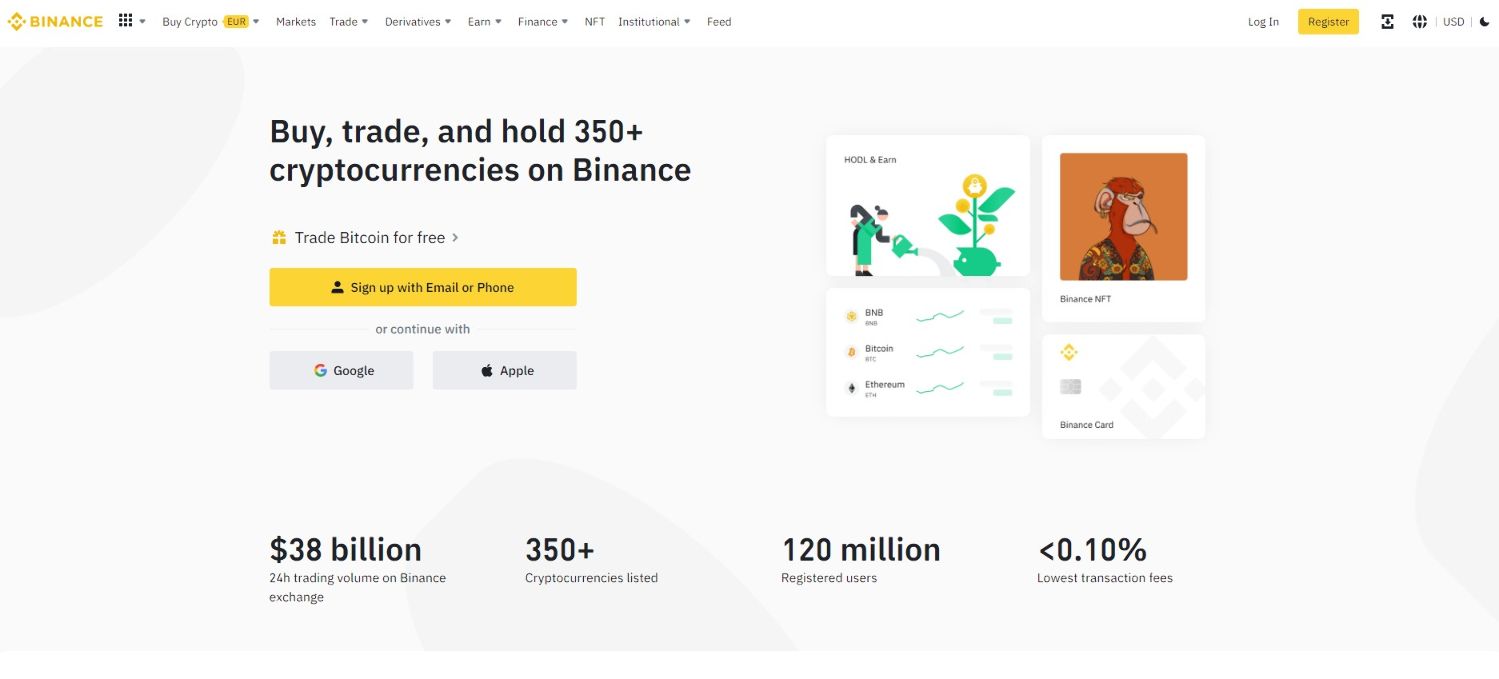 Head to Binance website.
 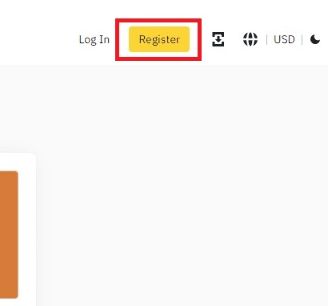 You will need to register if you are a new user. This is a usual sign up procedure and not covered here. Do move funds you will be required to complete KYC (know your customer)
 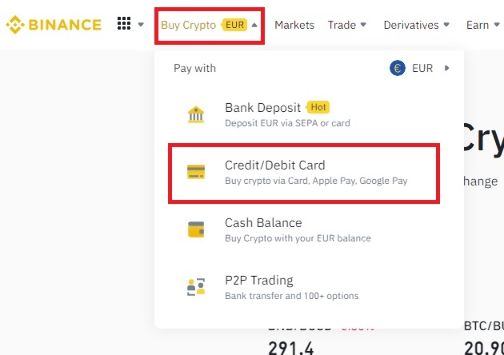 Once you are signed up in the top left hand corner, hover over "Buy Crypto" then click "Credit/Debit Card"
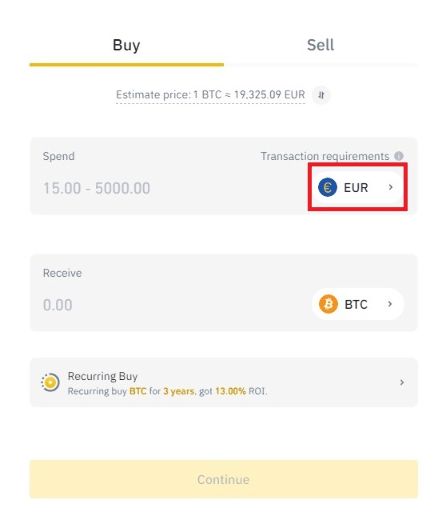 You will see this screen, you need to specify the currency you wish to use to purchase your crypto with. Click "EUR" (this will vary with region)
 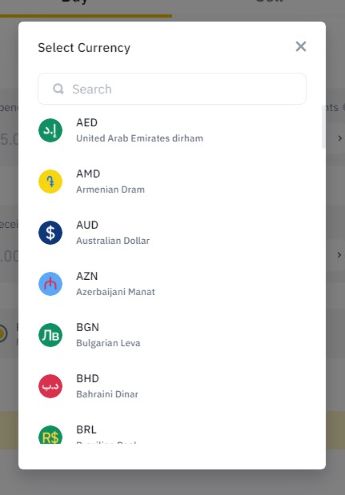 You will be presented with a list of currencies.
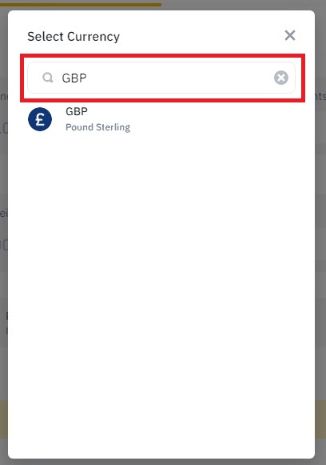 Click in the search bar and type in the currency you are buying with.
 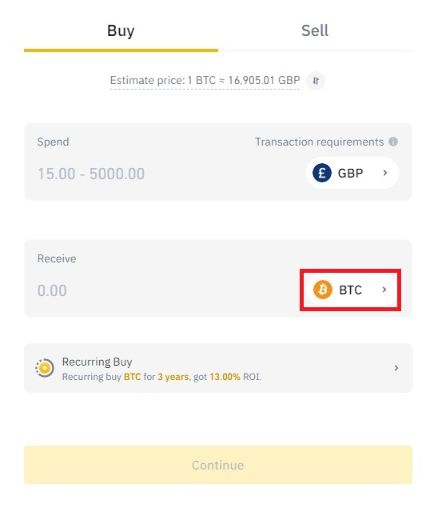 Then do the same for which crypto token/coin you wish to buy.
 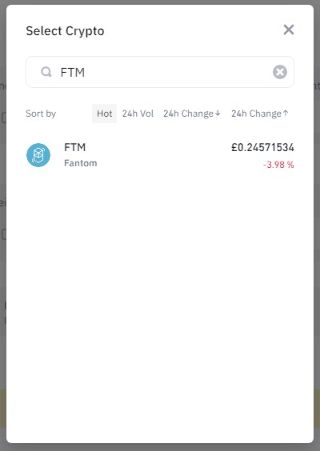 I am using Fantom (FTM) coin in this guide as I will be using this in the examples later on.
 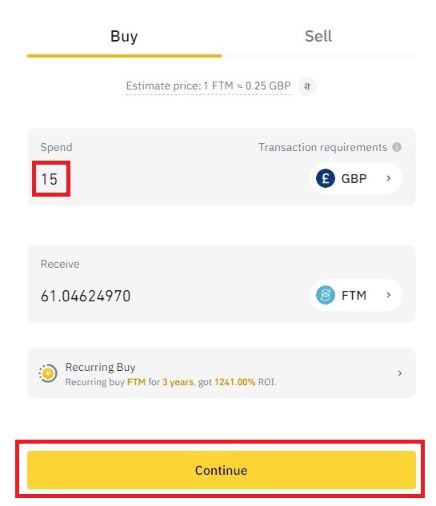 Put in the value you wish to spend and it will calculate how much you will receive. (There will be a minimum about). You can also put in the quantity you wish to receive if you wish. Then click continue once you are happy.
 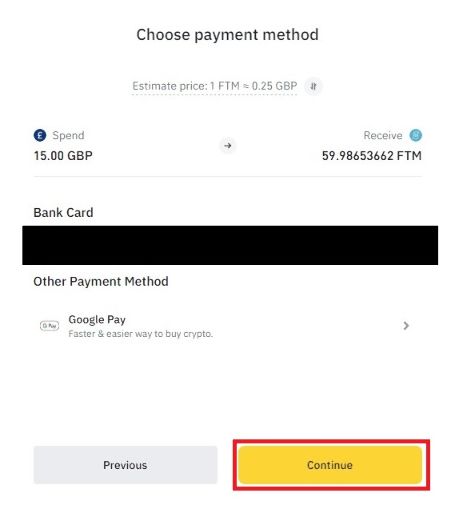 Confirm all details are correct. Choose your payment and click "Continue".
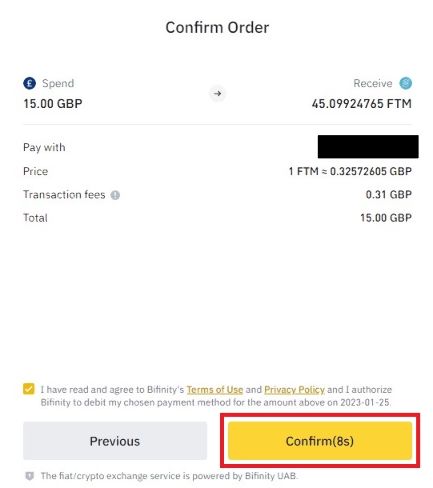 You will then have 10 seconds to confirm your order. Click "Confirm". You have purchased some crypto!!
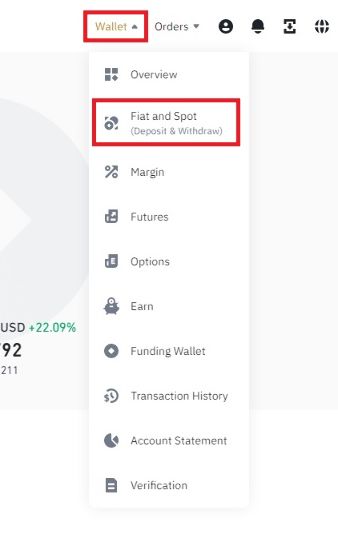 Now we have to transfer it from Binance to your wallet. Hover over "Wallet" in the top right hand corner and click "FIAT and Spot".
 You will now see a list of assets you own. Under "Crypto Balance" click "withdraw" on the token you have just bought.
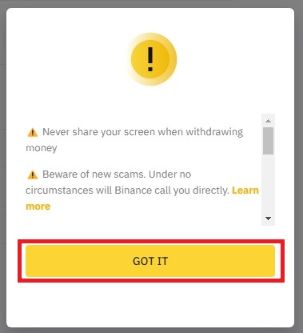 Read the warning message and click "GOT IT".
 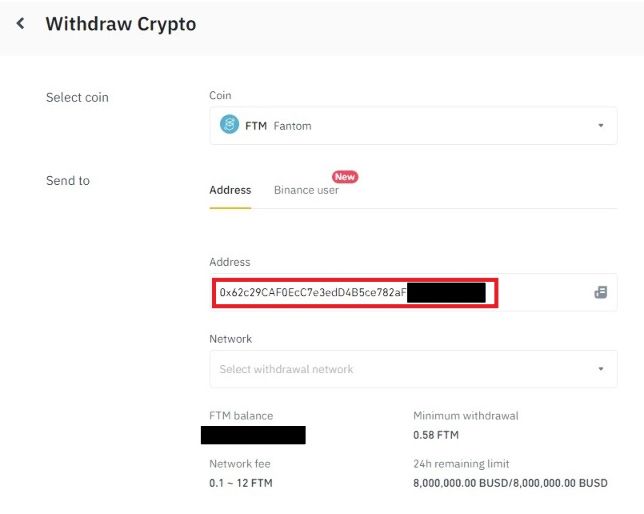 Put in your wallet address in the "Address" field.
 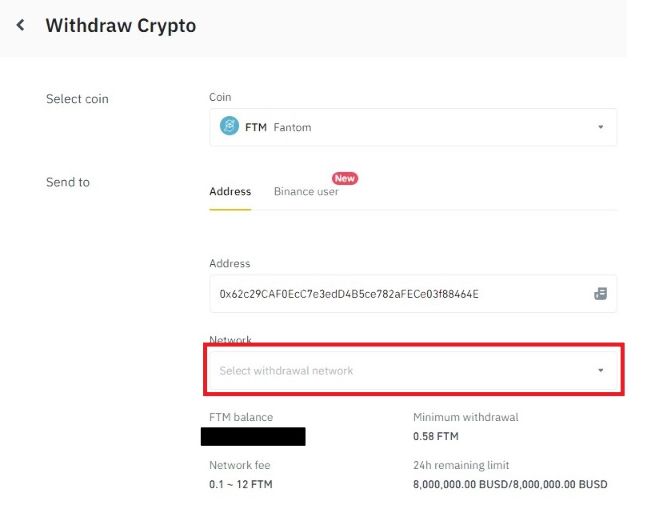 Click on the drop down menu under "Network".
 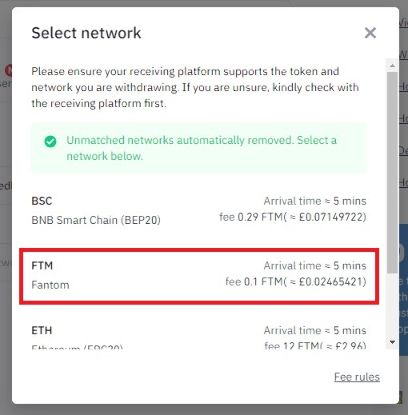 It will give you a list of available networks for that coin. Select the network you wish to use. IT IS IMPORTANT YOU GET THIS CORRECT! Transferring to the wrong network will cost you do transfer it out!! We are using Fantom network in this example. Click "FTM".
 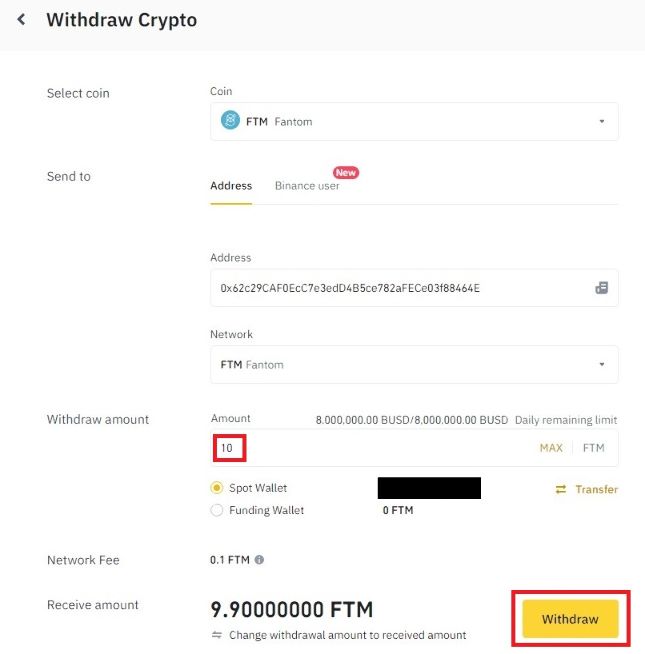 Enter the amount you wish to withdraw. It will display fees and the amount that will be transferred after fees. Click "Withdraw".
 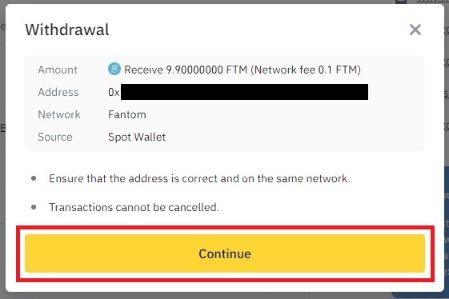 Confirm everything is ok and click "Continue".
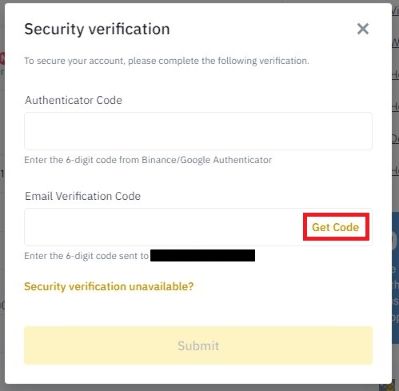 You now need to confirm its you and an extra step to ensure you are happy to proceed. The authenticator app provides the top number and click "Get Code" to receive the 6-digit email verification code.
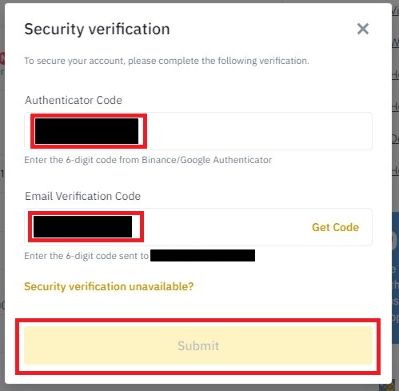 Enter both these numbers in the fields shown and click "Submit" once filled in.
 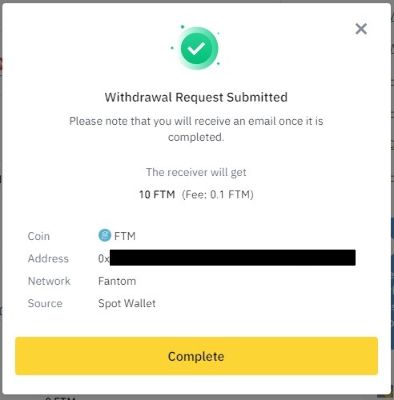 Congratulations! You have just sent funds to you wallet. It may take some time to transfer and times vary from network to network but after a while you will see the funds in your wallet.
Things to consider
Different networks have different fee's and transfer times vary. You can view your transactions on Binance to see if it has transferred yet. You will also get a confirmation email once transferred.
If the transaction is confirmed but not showing in your wallet, check you are on the correct network and/or the token is added to your wallet.
Back to topBack to top